Connecting an AI Agent to LinkedIn Ads When Your Campaign Budget Needs a Hard Ceiling
AI agents need guardrails beyond protocol connections to enforce strict spending limits.

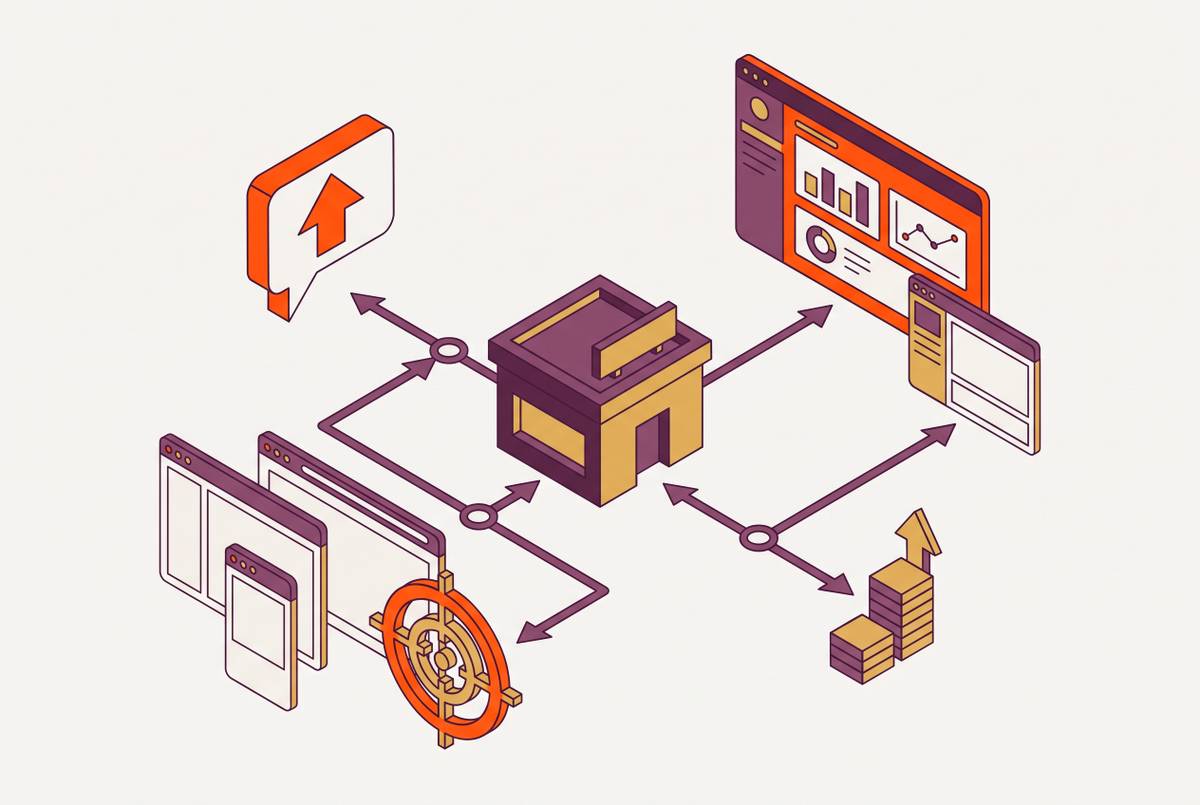
LinkedIn Ads MCP connects an AI assistant to tools that can read campaign results and change a real ad account. Creator OS and Synter offer MCP connections with controls for agent-driven advertising, but the connection alone is not a spending safeguard.
What MCP is and why it gives an AI agent real write access to a LinkedIn ad account
Anthropic introduced the Model Context Protocol in November 2024 as an open standard for connecting AI applications to external tools and APIs. Compatible hosts, including Claude, ChatGPT, and Cursor, can use the same protocol rather than needing a separate integration approach for every service. The MCP server handles platform-specific work such as OAuth, API versioning, rate-limit backoff, and field validation. The agent makes decisions through the tools that server exposes. Those tools can do more than fetch reports.
An agent can call get_campaign_performance, analyze the results, and then call adjust_bid_strategy within one reasoning loop. The operational change is the agent taking over the task of moving each decision from a report into Campaign Manager. If the connection permits writes, the agent can act on its interpretation of the data, including an interpretation that is wrong. The server must enforce any limits that the agent cannot be trusted to observe on its own.
Company and job title targeting are criteria within the Advertising API. Its Ad Budget Pricing endpoint exposes dailyBudgetLimits.min, dailyBudgetLimits.max, dailyBudgetLimits.default, bidLimits.max, and bidLimits.min. It also exposes suggestedBid.default, suggestedBid.max, and suggestedBid.min. These fields describe budget and bid boundaries or suggestions, with the business’s monthly spending allowance remaining a separate boundary.
That distinction is the enforcement gap. LinkedIn offers daily and lifetime campaign budgets, but it does not enforce an absolute monthly limit for each campaign. Its maximum delivery strategy is available for all advertising objectives and adjusts bids to seek the most key results within the total budget. Whoever builds the agent connection must add that missing control.
Even the starting budget needs context. A valid budget is therefore not necessarily a useful one. The agent needs room to work within a spending boundary that is enforced.
The specific failure modes that emerge when an agent has write access without a hard ceiling
A tracking error or data glitch makes performance look weak, so the agent raises a bid or budget to fix what looks like underdelivery. LinkedIn can then execute delivery at up to 2× the new daily budget. If the agent reads the same faulty signal again, it may make another increase. This feedback loop can burn through a monthly allowance in days while the team is offline.
The consecutive-failure cascade has a different trigger. An agent fails at a task and retries, but repeated partial executions can still consume budget. Without a financial circuit breaker, the agent can keep attempting work after its failures have become a spending risk. An automated stop after a defined number of consecutive failures breaks that pattern.
The approval gap is simpler and easier to miss. If a person reviews a change only after the agent has submitted it, the review does not prevent the initial write. Spend can occur during that window. Human oversight becomes a spending control only when the relevant approval happens before execution, or when creation leaves the campaign paused. A notification after a budget increase is not equivalent to permission before it.
These failures need different kinds of intervention. A monthly limit addresses total exposure, a per-change limit constrains sudden adjustments, and a failure threshold stops repeated unsuccessful work. None replaces the others. An agent can stay within its allowed change size while making too many changes, just as it can stay below its monthly allocation while repeatedly failing at a task.
The guardrail architecture and where hard ceilings must live in the agent-MCP-LinkedIn stack
The MCP server is the execution gate. Before sending a write to LinkedIn, a pre-flight spend sentinel should check current spend against the configured limit and reject a request that would breach it. This check belongs before the API call. A warning shown after a write leaves the approval gap open, and a rule written only in a prompt leaves the system that makes the decision to enforce its own rules.
Synter describes protocol-level controls including mandatory paused creation and campaign-preflight linting for budget limits, audience floors, and tracking tags. A budget check and a paused creation state do different jobs. The first checks whether a change fits the rules, while the second keeps a new campaign from spending right away. Neither should be mistaken for proof that a separate monthly spend sentinel has been configured.
The agent instruction layer supplies a second boundary. Hardcoded programmatic limits should constrain how far the agent can move a bid or budget during a campaign flight, independently of the server’s checks. The governance guidance in the brief calls for explicit human confirmation when budget adjustments exceed ±15%. That includes large reductions as well as increases. The rule limits how much the agent can change on its own in one adjustment and leaves the whole campaign’s monthly allowance to a separate control.
This layer also needs a failure stop. An automated financial circuit breaker should halt agent operations after a set threshold of consecutive task failures, rather than treating every failure as permission to try again. The threshold is a configured policy.
The identity and access management layer determines where any of those actions are allowed. Role-based access controls, cost-cap thresholds, and rules for monitoring should be set before credentials are given out. Read-only access is the default for functions that do not need writes. Creator OS pins every API key to one workspace, so an agent with one client’s key cannot touch another client’s ad account. That account boundary requires a separate budget boundary.
Together, these layers constrain scope, decision size, and execution. They also need a clear distinction between blocking a new write and stopping campaign delivery. An active campaign may keep spending even after a budget change is rejected. The required halt behavior must therefore be part of the configured spending control, rather than an assumption drawn from the presence of an MCP connection.
How do you connect your AI agent to LinkedIn Ads with draft-and-approve controls?
Creator OS provides a concrete example of the workflow once the LinkedIn MCP connection is in place. The user asks for an image-based Sponsored Content campaign with a traffic objective, a modest daily budget, and targeting in the United States and Canada. The request also tells the agent to return the plan first and launch nothing yet. That last instruction separates preparation from execution. The agent has a task to complete without permission to begin spending.
The agent then calls the campaign-builder tool and presents the proposed budget, audience, headline, body, and CTA. It confirms that no spend has occurred. The user can examine the whole proposal rather than approve a vague promise to “optimize” advertising. In the worked example, the user adjusts the daily budget before issuing the launch instruction. Approval attaches to the reviewed plan.
Creation still does not mean immediate delivery. Creator OS creates LinkedIn ads paused so the user can check them in Campaign Manager before they spend. The agent confirms creation and returns the Campaign Manager link, giving the human a place to verify the result before unpausing.
Read tools remain useful throughout this process. The user can ask for recent spend by campaign, the best-performing ad, or cost per lead, and the agent retrieves live account data through MCP. Those requests offer useful analysis directly from live account data without authorizing a budget change. Read access and write access should not be bundled by default.
What governed autonomy looks like across multiple channels when LinkedIn is one node in a larger agent workflow
An agent connected to Google Ads, Meta Ads, and LinkedIn Ads can compare cost per lead across all three in real time. It can then recommend moving budget toward the platform delivering the best marginal return. That is broader than automating one campaign screen. Multiple MCP servers let the agent use a shared view to make decisions and compare results more often and in more detail than a person managing them by hand can.
Spending controls must be in place at each connection. A balanced cross-channel recommendation does not make a permissive LinkedIn write path safe. If that path accepts increases without enforcing its own spending allowance, it can use up money that the wider plan set aside for other platforms. Shared reasoning is not shared enforcement.
The morning-scan pattern shows how useful this can be without making every recommendation an automatic write. At a set interval, the agent queries connected MCP servers across client accounts and checks for spend spikes, conversion drops, CPA increases, and budget pacing problems. Anything crossing a threshold is flagged with context and a proposed action. A human reviews and approves before a write executes.
A recommendation can be cross-channel without granting cross-client access. The useful expansion is in what the agent can analyze.
The access and permissions checklist before handing an agent write credentials to a LinkedIn ad account
Confirm that the API key or OAuth token is restricted to the specific ad accounts the agent may touch, rather than a master credential covering every account. Issue read-only access by default. Grant writes only to tools that need them and only for campaigns within the agreed scope. For agency work, check that one client’s credential cannot reach another client’s account.
Confirm that a configured monthly limit exists and that the sentinel rejects a write that would breach it before the LinkedIn API call is made. Do not treat the platform’s daily budget as that test. Check the separate per-operation rule as well, including the percentage change that requires human approval. The configured halt behavior must stop spending when it reaches the spending boundary as well as block requests for a larger budget.
Check the creation workflow separately from budget changes. Every campaign or ad the agent creates should start paused, and the agent should return a plan before it is told to launch. Require a human to give confirmation in Campaign Manager before unpausing. A successful creation response is not that confirmation. The budget, audience, and creative that were reviewed must be part of the approval process before delivery starts.
The financial circuit breaker should halt operations after the configured number of consecutive task failures. Every read and write should be logged with a timestamp, the tool called, the parameters passed, and the platform response. Those records make the agent’s actions inspectable. Governed autonomy is the condition under which an agent can be trusted to do useful agency work.